



Dedicated Nodes
YOUR AI. YOUR CHOICE.

Panel AgentEarly access

Your AI, ready to help with your servers.

OpenAIAnthropicGoogle GeminiOpenRouterLM StudioLocal modelsOllamaLocal models

Choose an ability to see it in action.

Connect your own API key or local model. Provider charges may apply. Your permissions stay in control, and changes need your approval.

Agent AbilitiesChoose an icon to try it

Read what your server is saying. Find what went wrong.

Panel Agent Early access

GigaLinked’s Integrated Panel Assistant

OpenAIAPI connection
Connected
AlexBuilds

My Minecraft server won’t start. Can you check the console and config?

Panel Agent
Connecting the contextUsing the access you selected
Survival serverLive console

A scripted preview of the real panel interface. Bring your own AI connection.

BUILT FOR YOUR TEAM

Your team. Your rules.

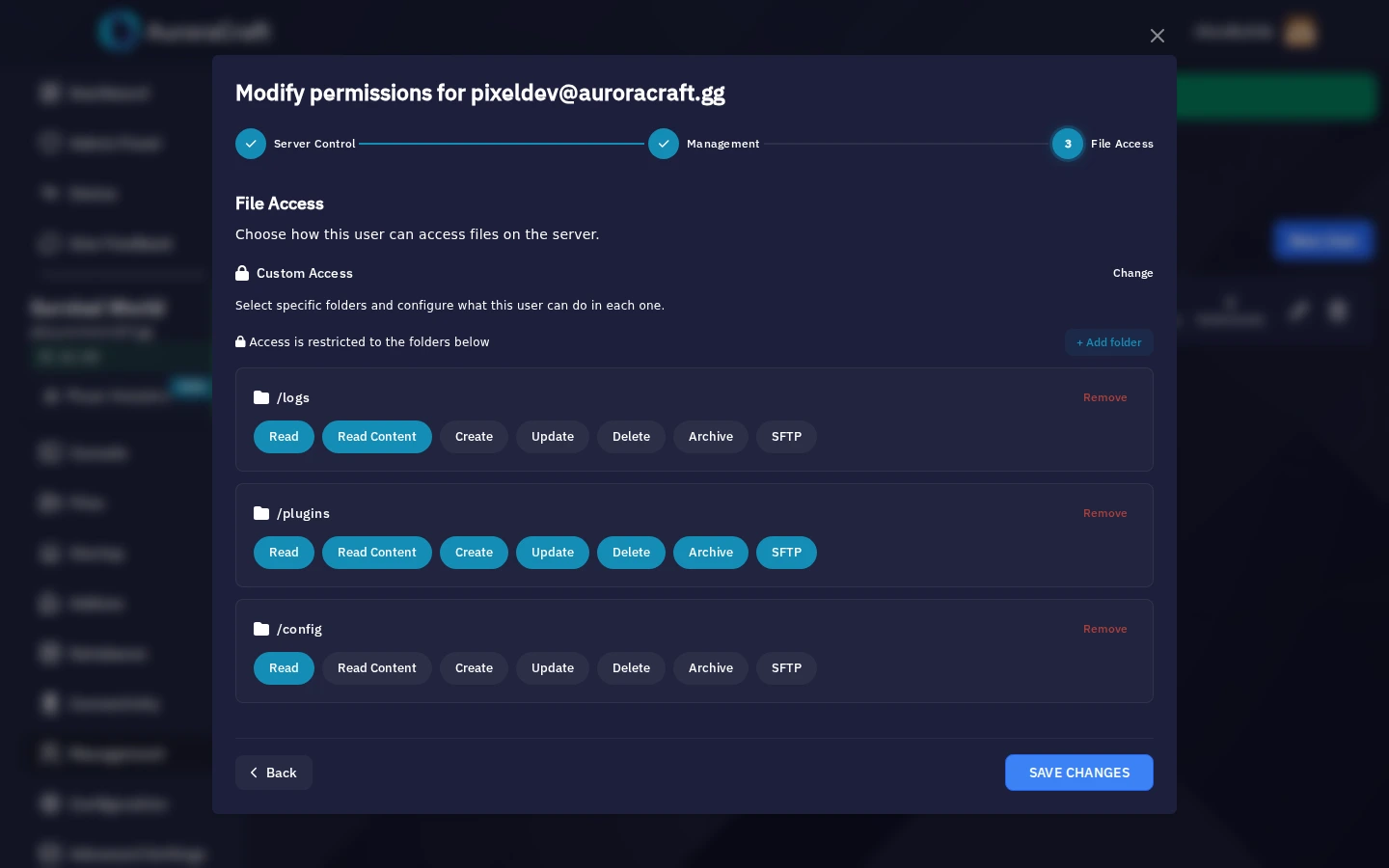
Bring in a developer. Give your moderators a hand. Choose the server folders each person can access, and what they can do inside them.

panel.auroracraft.ggSUBUSER PERMISSIONS
Subuser permissions
Set access folder by folder, from inside your panel.Short panel preview without sound
PixelDevCommunity developer
Subuser
/logsRead only

Check what happened without changing the logs.

  • Read & download
  • No editing
/pluginsFull access

Give your developer room to work on the plugins.

  • Create
  • Edit
  • Rename
  • Delete
/configList only

See filenames without opening their contents.

  • No opening
  • No downloads
The rest stays restricted.

Share the folders they need. Keep other areas outside their file access.

TAKE A CLOSER LOOK

Built for the way you play.

Explore the tools inside your Personal Panel.

Your overview
A separate Personal Panel for every Dedicated Node

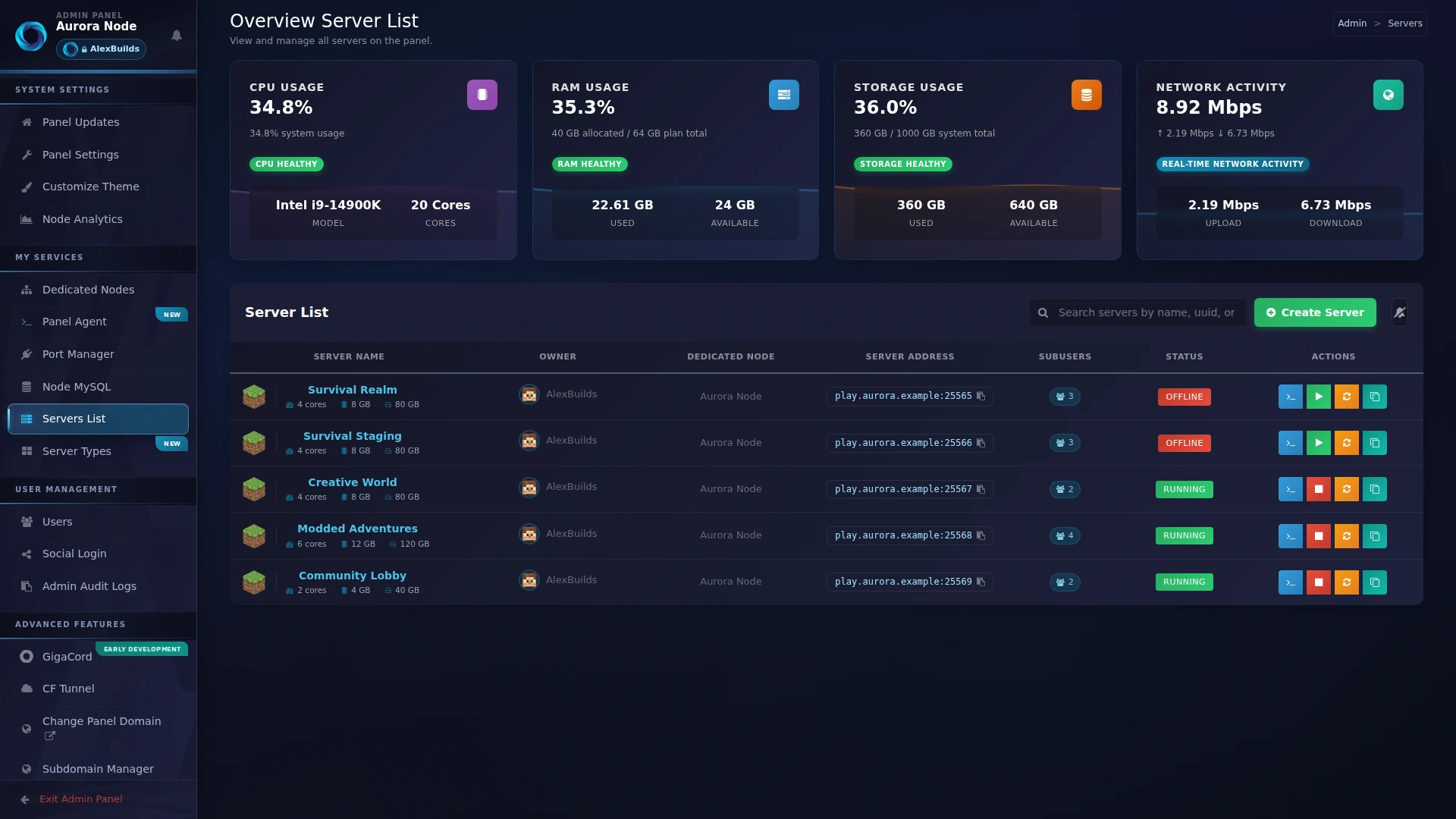
Your whole world, in one place.

Group your servers into categories with custom covers, see their resources at a glance, and jump straight into the one that needs you.

Personal Panel interface previews, shown with demonstration data.

BUILT INTO YOUR PERSONAL PANEL

FiveM & Garry’s Mod.
More tools, built in.

Set up a framework, discover addons and take a closer look at the code running on your server.

FiveM and Garry’s Mod

Take a closer look at your files.

Scan FiveM resources and Garry’s Mod addons for suspicious code. Review flagged files, matching lines and findings from inside your panel.

  • File and line details
  • Findings grouped by severity
  • Review possible false positives
See it in your game
FiveMBackdoor scanner
FiveM Backdoor scanner
Sample server filesSilent recording

Flags suspicious code for review; a scan cannot guarantee every file is safe.

THE DETAILS MAKE THE DIFFERENCE

All the useful little things.

From pulling code to recovering a deleted file. It’s already in your panel.

BUILD & EXPERIMENT

Files & development

  • GitHub sync

    Pull public or private repositories into a server folder. Choose a branch and schedule syncs.

  • Recycle Bin & quick undo

    Restore files sent to the Recycle Bin, or undo a recent recycled deletion.

  • Code editor

    Edit configs and scripts with syntax highlighting, validation and bracket matching.

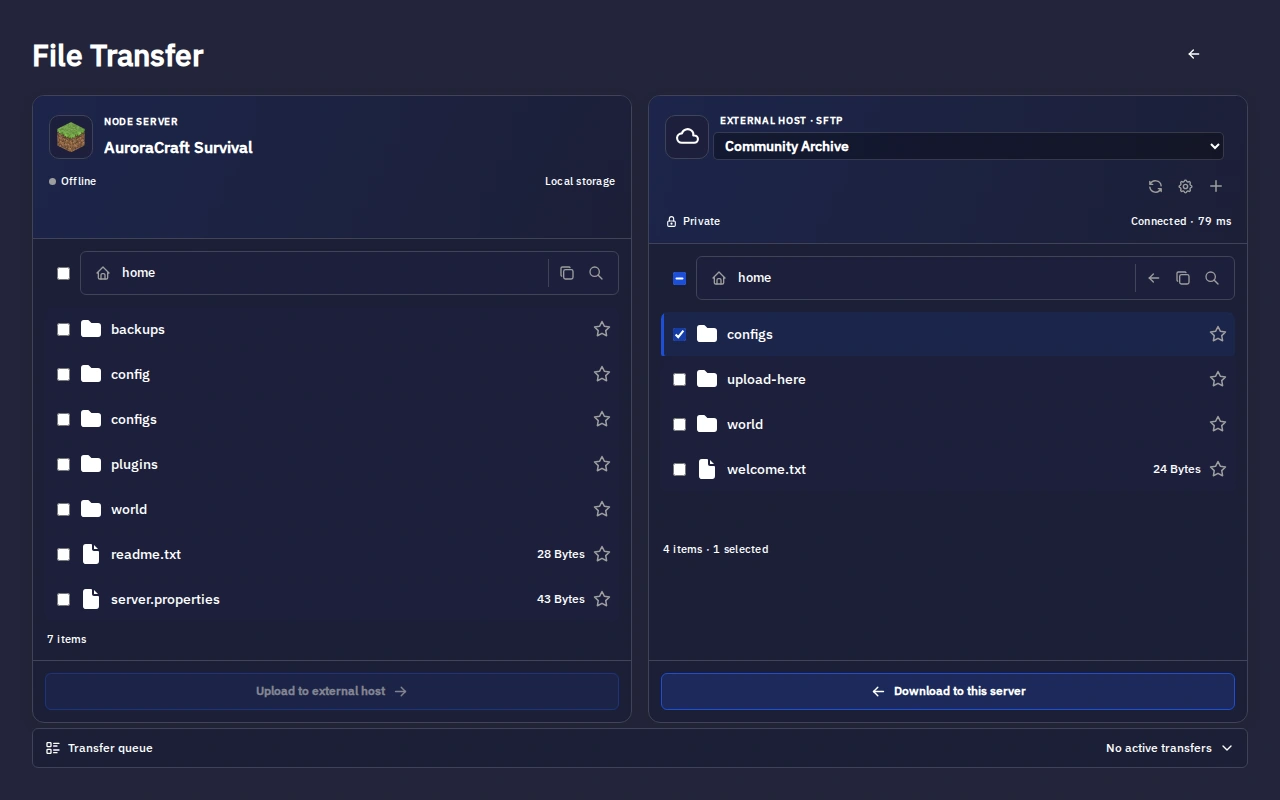
  • File manager & SFTP

    Browse and upload files in your panel, or connect through your preferred SFTP client.

  • Backups

    Keep a backup before updates, experiments or your next big change.
PLAY & COLLABORATE

Your community

  • Subusers & access

    Give teammates specific server permissions, with directory and SFTP restrictions.

  • Live console

    Follow server output and run commands. Grant viewing and command access separately.

  • Game addons

    Manage supported plugins, mods and resources for Minecraft, FiveM, Garry’s Mod and Hytale.

  • Player analytics

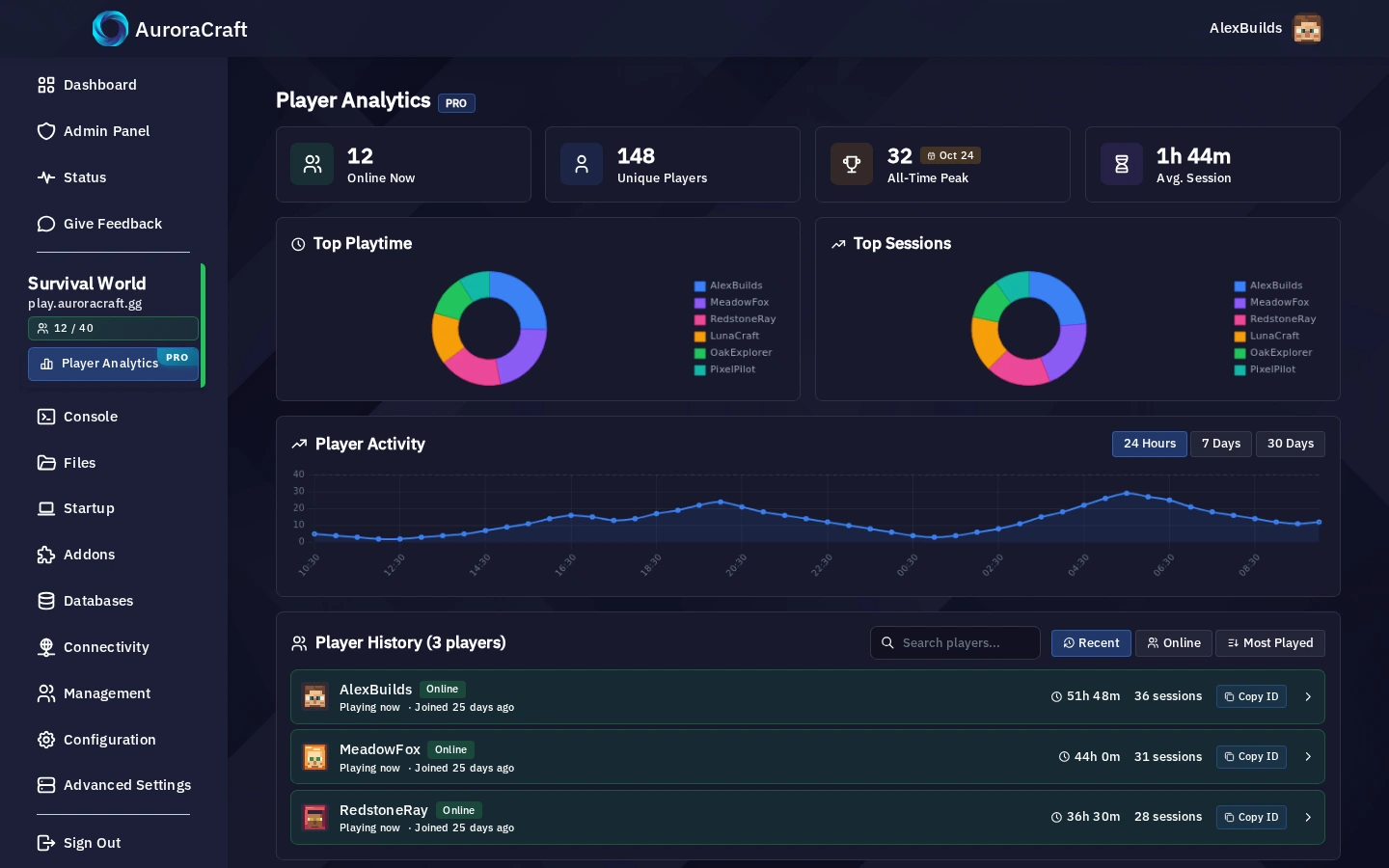
    See Minecraft player activity, session history and playtime over time.

  • Categories & covers

    Group your servers, add category banners and give every server its own cover.

MANAGE & MAINTAIN

Daily control

  • Schedules

    Automate recurring server tasks, commands and backups.

  • Ports & private networks

    Assign server ports and connect services over internal networks on your node.

  • Node monitoring

    Follow resource usage, uptime and traffic from inside your panel.

  • Panel updates

    Get signed releases, automatic updates and clear release notes.

  • Cloudflare Tunnels

    Connect web services through Cloudflare Tunnels from your node controls.

YOUR STYLE. YOUR SPACE.

Make it yours.

From the first colour to the last detail.
A panel that feels like your community.

panel.auroracraft.ggYOUR PERSONAL PANEL
Colours & layouts

Pick a colour preset or mix your own. Switch between Standard, Glassy and Peek layouts.

Short panel preview · No sound
Your logo & faviconYour panel domainYour colours & backgrounds
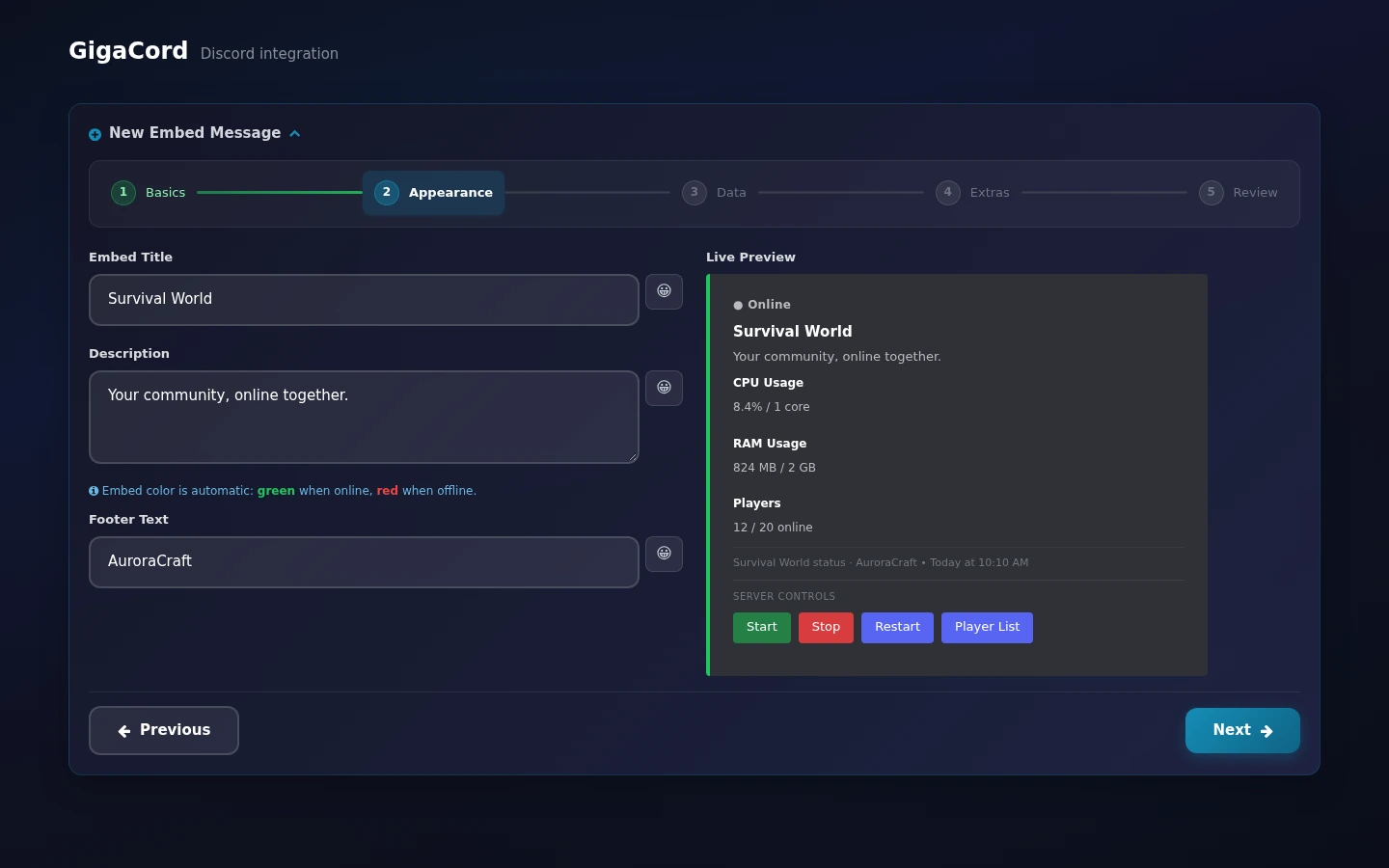
GIGACORD INCLUDED IN YOUR PANEL

Your Discord bot.
Built into your panel.

Music, tickets, giveaways and your servers. Together, in your community’s Discord.

Connect your own bot token. Choose its name, avatar and settings.

Set the mood for your community.

Play music in a voice channel, build a queue, and let your members control playback.

  • Playlists & queues
  • Volume & audio filters
  • Role permissions
Try the preview
AAuroraCraft# musicBot online
AuroraAPPToday
NOW PLAYING
Music lounge
Aurora nights

Community playlist in Voice lounge

01:2403:42
Queue3 tracksVolume50%Requested byAlexBuilds
AuroraCraft Radio powered by GigaCord
Interactive preview with no Discord connectionVisual preview without audio

Set it up in your Personal Panel. Connect one Discord server, choose your modules, and make GigaCord your own.

ROOM FOR MORE

More than game servers.

One node for the worlds you play in and the services that bring them together.

Game servers

Build a home for your players, from Minecraft worlds to community game nights.

  • Minecraft
  • FiveM
  • More games

Websites & apps

Host your community site, a web app or WordPress alongside your servers.

  • Nginx & PHP
  • Node.js
  • WordPress

Discord & other bots

Run your own bot code and keep your community connected around the clock.

  • JavaScript
  • Python
  • Your own code

Databases

Give your plugins, websites and applications a place to keep their data.

  • MariaDB
  • App data
  • Plugin data

Linux & SSH

Set up an Ubuntu or Debian environment for your tools and services, with SSH support.

  • Linux containers
  • Ubuntu & Debian
  • SSH

Create services from the templates available in your panel. They share the CPU, memory and storage of your node.

YOUR NEXT SERVER STARTS HERE

What will you run?

Find your next game, voice server, bot or app.

203server templatesBuilt into your Personal Panel

12 server templates

Scroll to explore
  • Minecraft (Java Versions)

    Minecraft

  • Rust (All Versions)

    Rust

  • FiveM

    Roleplay

  • Garry’s Mod

    Classic games

  • Counter Strike 2

    FPS

  • ARK: Survival Ascended

    Survival

  • Palworld

    Survival

  • Terraria Vanilla

    Survival

  • Valheim

    Survival

  • Satisfactory

    Simulation

  • Enshrouded

    Survival

  • Hytale

    Hytale

Make room for your community.Your Dedicated Node. Your Personal Panel.
Find your node
OUR LOCATIONS

Our infrastructure

Dedicated nodes, co-located in data centres around our listed cities. Choose your location and check availability when you order.

Dallas, United States

A local home for your node, with your services managed in one place.

Co-locatedData centre infrastructure
4 locationsLocation network
Your panelManage your node
Live stockCheck when ordering

🎉Join our Discord server for exclusive industry news, updates & giveaways!

Join Discord